A green background displays the result of a successful conversion or calculation. The unit and scale of the value is displayed to the right; the arrow tells you if the value is scaled up or down.
Select the scale and unit of your measurement. The highlighted key tells you which button is active. You can change the active scale or unit at any time.
Enter fractions using these buttons. Control how fractions are formatted and rounded from the Setup button.
Number Key Pad
Enter values here. Use the Edit Buttons to make corrections.
Result Button
Commit conversions and calculations. The green button color tells you that it is closely tied to the Result Scale and Units buttons.
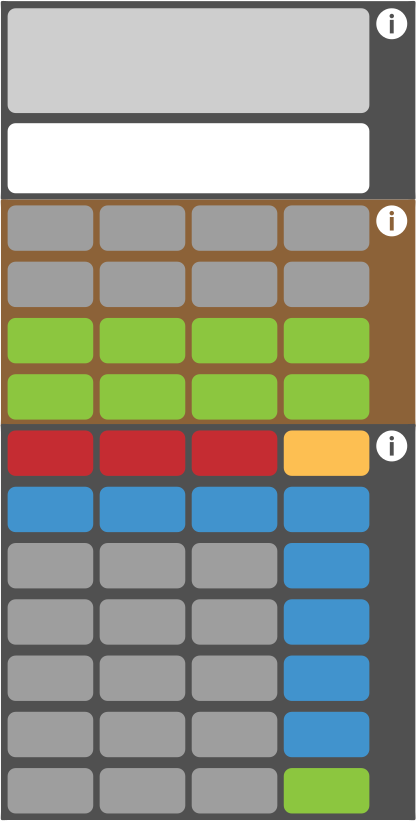
Special note: In Scale-o-Tron context, green leads to conversion and calculation results. Gray buttons represent your measurements, which you can modify with blue operators. Red buttons are for editing or resets.
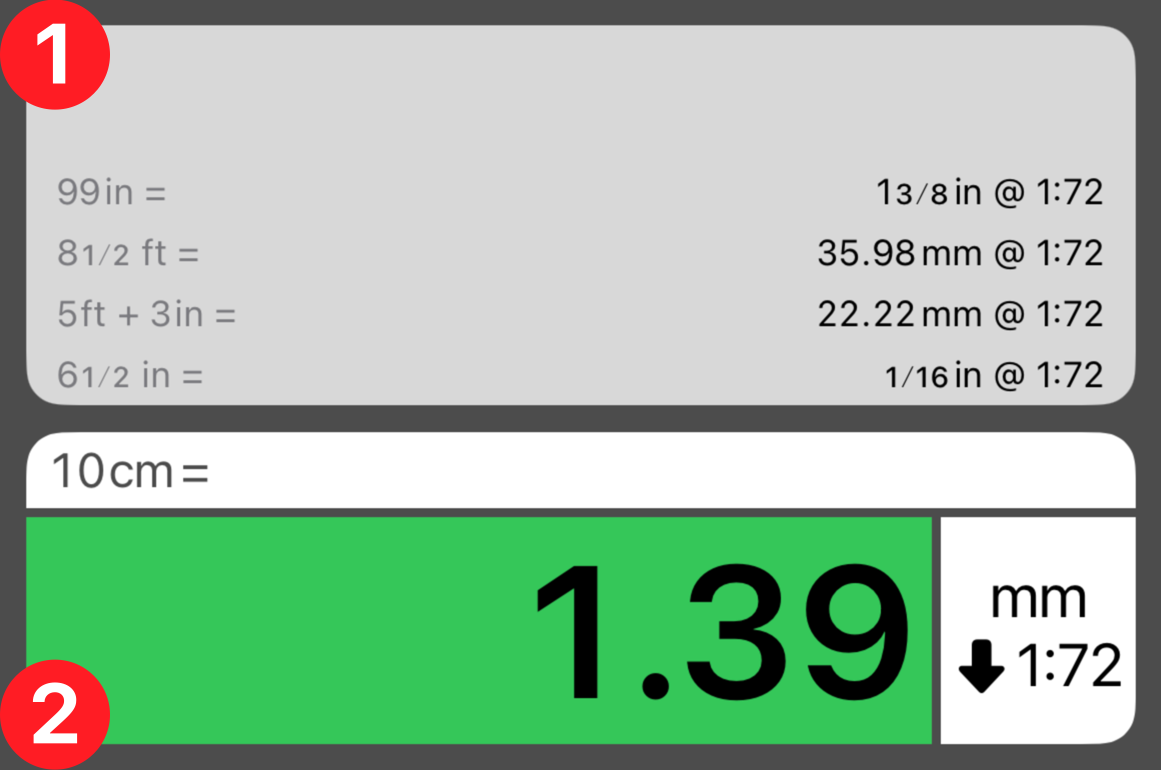
 History Tape
 Result Display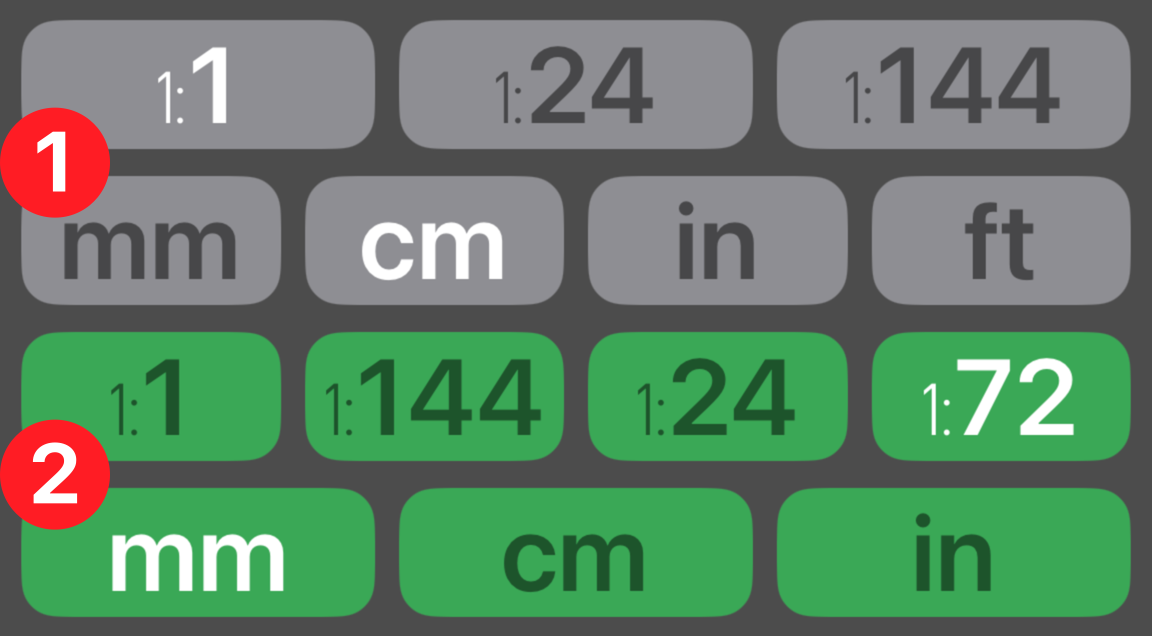
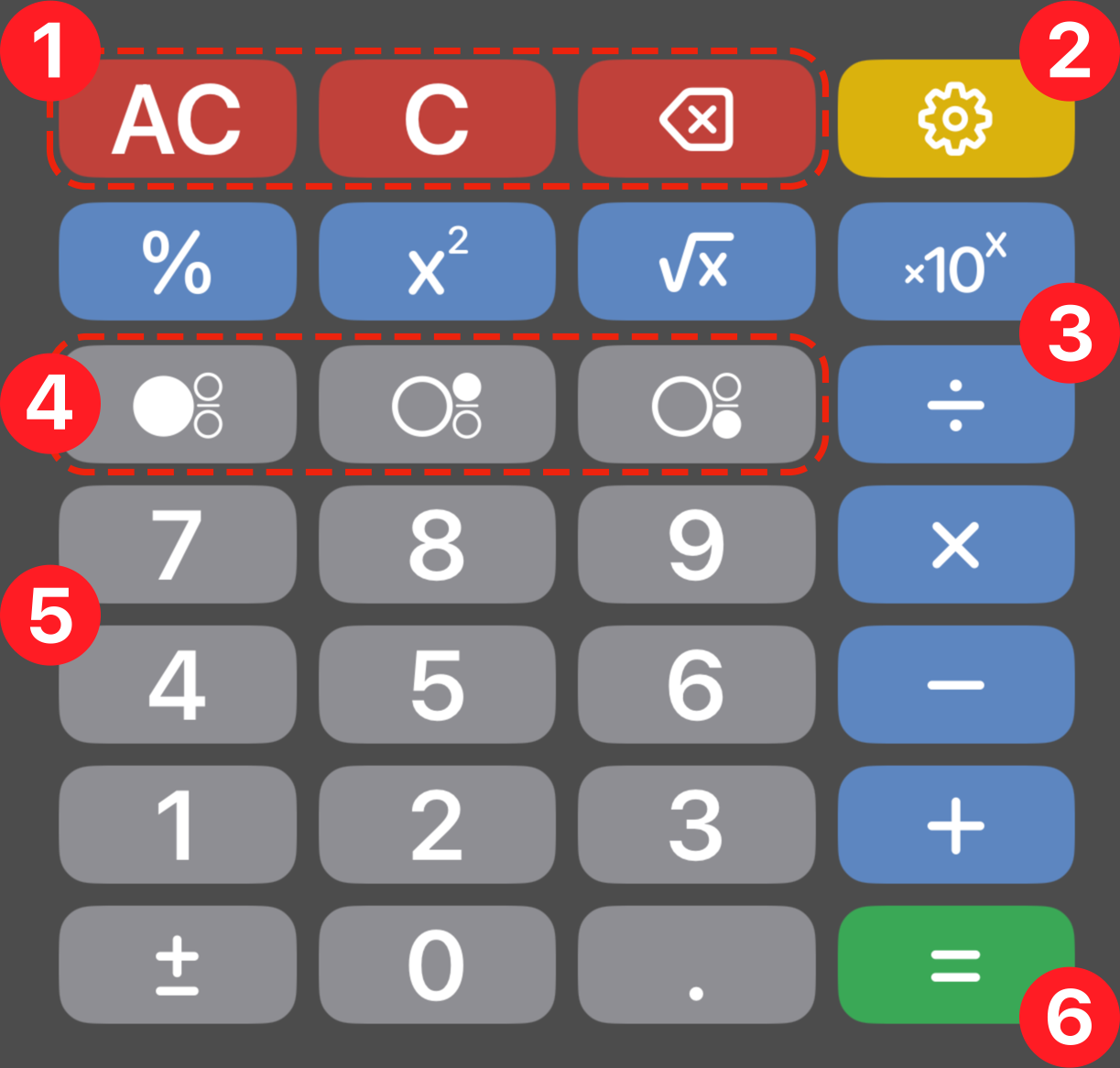
 Operators
 Fraction Mode Buttons
 Number Key Pad
 Result Button